
 Welcome bonusUp to 1000 AUD + 100 FSfor the first deposit
 Welcome bonusUp to 1000 AUD + 100 FSfor the second deposit

WinSpirit Casino App
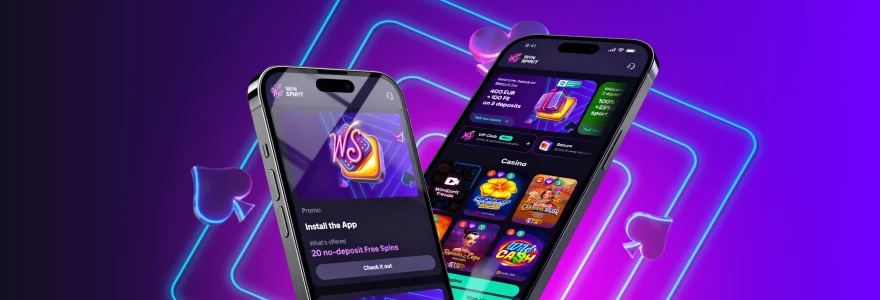
Install the WinSpirit app directly from your browser in under a minute. No app store needed. Get a home-screen shortcut, one-time login, and 20 no-deposit free spins just for setting it up.
No App Store Listing, on Purpose
The WinSpirit Australia app is not listed on Google Play or the Apple App Store. Installation happens straight through the browser — Chrome on Android and Windows, Safari on iPhone and Mac. That is not a limitation; it is how the technology works. We use PWA (Progressive Web App) technology, which lets your device treat the browser-based casino like a native application. The Win Spirit app installs to your home screen, opens without a browser tab, and loads faster than a standard web session.
Because there is no app store in the middle, you always get the current version without waiting for an update approval. Every time you open the shortcut, the app pulls from our servers directly. The full account you use on the WinSpirit online casino Australia is exactly the same account that works through the shortcut — same balance, same bonuses, same history. Nothing migrates. Nothing resets.
What Installing Gives You
The single biggest advantage over just bookmarking the site is that the shortcut opens the casino without a browser toolbar taking up screen space — every millimetre goes to the game.
Beyond that, installing the WinSpirit Casino app gives you:
- One-time authorisation — log in once and stay logged in across sessions without re-entering credentials every visit
- Quick access to bonuses and slots — the shortcut takes you straight to our game library from your home screen or dock, with no address bar to navigate
- Faster loading — the WS Casino app uses cached assets, so pages respond in fractions of a second rather than loading fresh each time
- Home-screen icon — the casino sits alongside your other apps, exactly where you expect it
- Consistent experience — the same layout, the same promotions, and the same account work whether you open the shortcut on your phone or your desktop
None of these require a download file. The install adds only a shortcut; the actual content stays on our servers.
Installing on Android and iPhone
Both installs take under a minute from start to finish.
Android (Chrome):
- Open the Chrome browser on your device
- Go to the WinSpirit Australia app website
- Tap the three-dot menu next to the address bar
- Select Install the WinSpirit Casino App
- Tap Install in the confirmation window
- The shortcut appears on your home screen immediately
iPhone (Safari):
- Open Safari — Chrome does not support this install on iOS
- Go to the Win Spirit app website
- Tap the Share icon at the bottom of the screen
- Choose Add to Home Screen
- Confirm the name and tap Add
- The icon appears on your home screen
After the shortcut is in place, open it and log in. If you have not yet set up your credentials, the WinSpirit Casino login help covers the full sign-in process including password recovery. One login is all it takes — the app keeps you in from that point forward.
Install Options by Device
Every device installs in roughly the same number of steps — the browser changes, but the process does not.
| Device | Browser to Use | Key Step |
| Android | Chrome | Three-dot menu → Install the WinSpirit Casino Australia app |
| iOS (iPhone / iPad) | Safari | Share icon → Add to Home Screen |
| Windows PC | Chrome | Install icon in the address bar → Install |
| macOS | Safari or Chrome | Install icon or Share icon → Add to Dock |
The WS Casino app shortcut works on any of these devices without downloading a separate file. Pick up where you left off on your phone and continue on your desktop — the account is the same.
Setting It Up on Windows or Mac
The install icon sits in Chrome’s address bar on the far right — it looks like a small monitor with a download arrow. Open Chrome, go to our website, and you will see it appear once the page loads. Click it, then click Install in the small window that opens. The WinSpirit app then appears as a standalone shortcut on your taskbar and desktop. Opening it gives you a browser-free window — no tabs, no Chrome toolbar — just the casino running at full width. The WS Casino app on Windows behaves like any other installed programme from that point forward: you can pin it, unpin it, or remove it from your taskbar the same way you would any app.

On macOS
Both Safari and Chrome support the install on Mac, so use whichever browser you prefer.
- Open Safari or Chrome and go to our website
- Find the install icon — in Safari it is in the browser panel; in Chrome it sits in the address bar on the right
- Click the icon, then click the Share button and choose Add to Dock (Safari) or click Install in the confirmation window (Chrome)
- Tap Add to confirm
The WinSpirit Casino app then sits in your Mac dock alongside your other applications. One click opens it as a standalone window.
The Bonus for Installing
Install the Win Spirit Casino app and claim 20 no-deposit free spins — no purchase required. Activate them in the Bonuses tab of your Profile after logging in. The bonus is awarded once per account.
| Item | Detail |
| Free spins awarded | 20 |
| Bet per spin | AUD 0.10 |
| Wagering requirement | ×40 |
| Deposit required | No |
| How many times claimable | Once per account |
To receive the free spins, install the shortcut, log in, and open your Profile. The bonus appears in the Bonuses tab waiting to be activated. If you do not yet have an account, the WinSpirit Casino new account registration takes only a few minutes before you can claim. Winnings from the spins count toward the ×40 wagering requirement before they can be withdrawn.
Who Is the WinSpirit App For
The WinSpirit Australia app suits anyone who plays more than once a week and finds themselves navigating back to the site every session. The shortcut removes that friction. You tap, the casino opens, and you are where you left off.
It is particularly useful on mobile. The full-screen layout on a phone gives you more room than a browser tab, and the one-time login means you are not typing credentials on a small keyboard each visit. The WS Casino app also makes sense for desktop regulars who keep the casino in their workflow — pinning it to a taskbar or dock is faster than keeping a browser tab open all day.
Staying on the browser is perfectly fine if you use the site infrequently or prefer not to add shortcuts to your devices. But if the casino is part of your regular routine, the Win Spirit app shortcut saves time on every single session. The 20 no-deposit free spins that come with the install make it worth doing even if you only want to try it once.
WinSpirit Casino App FAQ
Does the WinSpirit app require a download?
No. The WinSpirit app installs through your browser as a shortcut — no file downloads to your device. The install adds an icon to your home screen or dock; all game content stays on our servers and loads when you open the shortcut.
Which browser should I use on iPhone?
Safari is the only browser that supports the home-screen install on iPhone. Chrome does not offer the “Add to Home Screen” option on iOS, so open Safari, go to the site, tap Share, and choose Add to Home Screen.
Can I use the same account on both mobile and desktop?
Yes. Your account, balance, bonus history, and VIP progress are all identical whether you open the shortcut on your phone, tablet, or computer. There is no separate mobile account — it is the same login everywhere.
Is the app available on all Android devices?
The WS Casino app shortcut works on Android devices running Chrome. As long as Chrome is installed and up to date, the three-dot menu will show the install option when you visit our website. Older Android versions without a current Chrome build may not show the prompt.
Do I need to update the app manually?
No manual updates are needed. Because the content lives on our servers rather than your device, you always get the current version when you open the shortcut. There is nothing to update, approve, or download after the initial install.
What happens to the free spins if I close the app before activating them?
The 20 free spins stay in the Bonuses tab of your Profile until you activate them. Closing the app does not cancel the offer. Open the shortcut again, go to your Profile, and activate the bonus from the Bonuses tab when you are ready.